
Accessing Quore University: Step-By-Step Guide
Start Your Quore University Journey
Whether you’re new to Quore or just getting started with training, Quore University gives hotel staff the tools to learn, grow, and master Quore at their own pace. This online learning platform offers role-specific paths, gamification with desktop and mobile access so every team member, housekeeping, front desk, engineering, management, and corporate can gain the skills they need efficiently and confidently.
In this guide, we’ll show you how to access Quore University on both desktop and mobile, so you can start learning right away.
Accessing Quore University on Desktop
Follow these simple steps to get started on your computer:
- Log into app.quore.com using your Quore credentials
- Click the question mark icon in the upper-right corner of the header bar
- Select Quore University from the dropdown menu
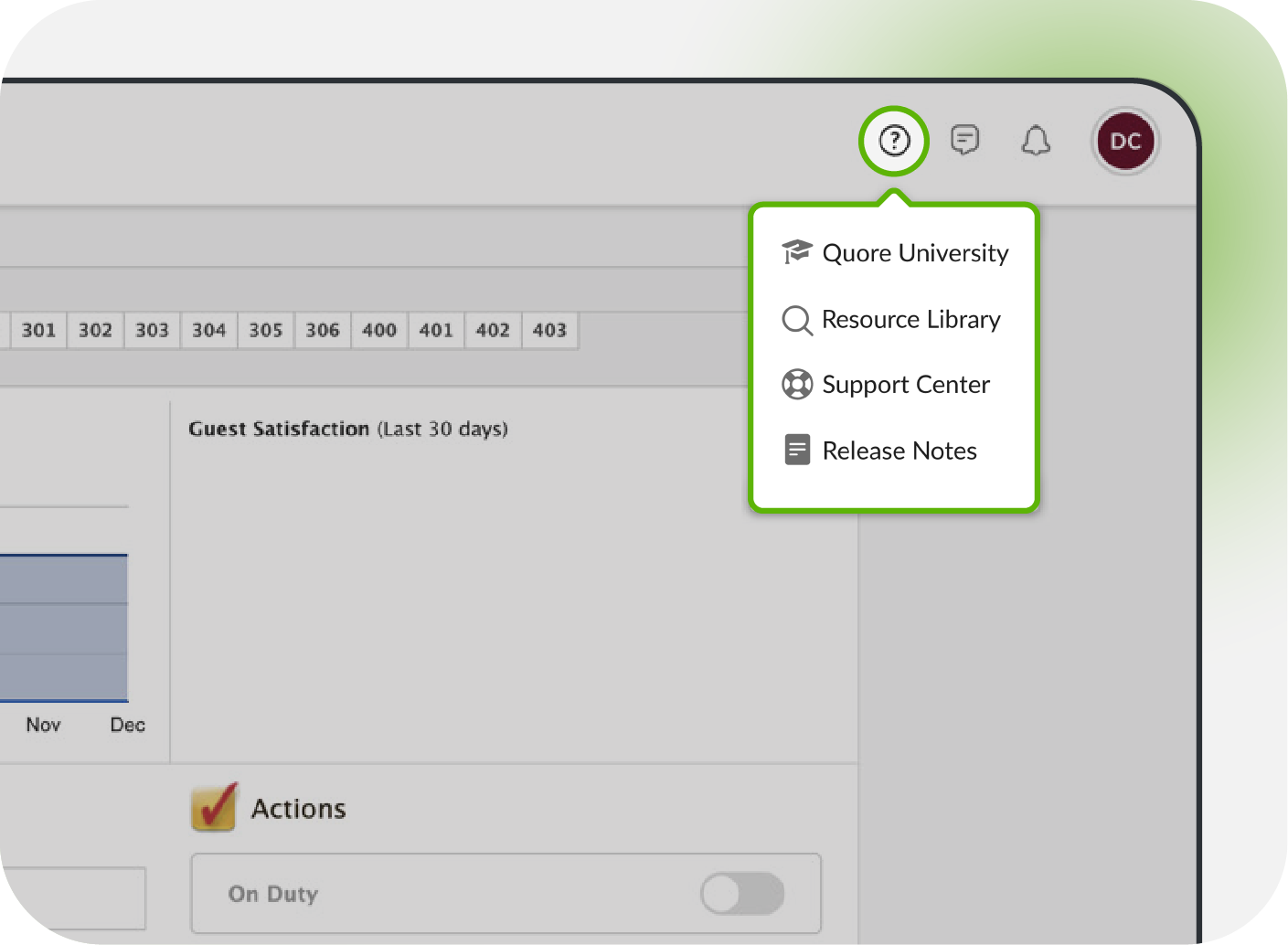
Once you’re in, you’ll see your personalized learning dashboard, your assigned learning paths, and any certifications or badges you’ve earned.
Accessing Quore University on Mobile
Quore University is designed for learning on the go, directly from your phone or tablet:
- Log into the Quore Mobile app
- Tap your user profile in the navigation bar
- Tap Help & Support
- Tap Quore University

From mobile, you can track your progress, complete training modules, and earn badges wherever you are, perfect for quick learning sessions during downtime.
Tips for Getting the Most Out of Quore University
- Start with your role-specific path: Focus on the training modules assigned to your position first. It ensures you learn what matters most for your day-to-day tasks.
- Break learning into chunks: Don’t feel like you need to finish everything in one sitting. Short, focused sessions make it easier to retain information. Or if you’d like to complete your whole journey, block an hour.
- Use mobile for quick wins: Complete modules or review lessons during downtime on your phone; perfect for those moments between shifts.
- Track your progress: Keep an eye on completed modules, badges earned, and certifications. Seeing your progress motivates you to keep going.
- Engage with gamification: Aim for badges, leaderboards, and certifications. They’re fun rewards that show your growth and dedication.
- Revisit content when needed: If something isn’t clear the first time, go back. Quore University lets you review lessons at any time.
- Learn in your preferred language: Take advantage of multilingual support to make learning easier and more effective.
Need Help?
If you get stuck, have questions, or want additional guidance, our Quore Success Team is here for you. Email us at support@quore.com or call 877-974-9774.
We’ll help you navigate Quore University and make sure you get the most out of your training experience.


